My district’s return to learn plan provides the students two options: to return to in-person learning on a modified HyFlex schedule or to remain fully remote. In a HyFlex model, learning is provided in-person and online simultaneously. For example, a student might be asked to Zoom into a live class from home. A HyFlex learning model is different from a Hybrid or Blended learning model. In a Hybrid or Blended model, the teacher purposefully designs a blend of in-person and online learning and gives the students some control over the time, pace, path or place of their learning. In this post, I will share my planning process for HyFlex instruction and give you a sneak peek into my Sensation and Perception unit.
However, there are disadvantages to the HyFlex model. First, it requires all of the participants to have reliable access to technology. I think the pandemic has laid bare how large of a tech gap many students face. Secondly, the teachers are required to plan twice for the same class – for the F2F learners and remote learners. Thirdly, there are few resources available to help teachers navigate this change. Lastly, HyFlex puts the responsibility of learning almost fully on the learner. Whether this is good or bad can depend on the maturity and abilities of the learner. Some of our students need more guidance and support than others.
- Do I want all of my learners to be doing the same thing everyday? This will determine if I will use a synchronous, asynchronous or blended approach.
- What do I want to spend my “in-person” time doing? If I have limited face to face time with my students, I would like to use that time for things that are difficult to replicate online; class discussions, conferencing, application, demos etc.
- How can I include my students who are fully remote in my live classroom? I want to make my classroom both inclusive and equitable.
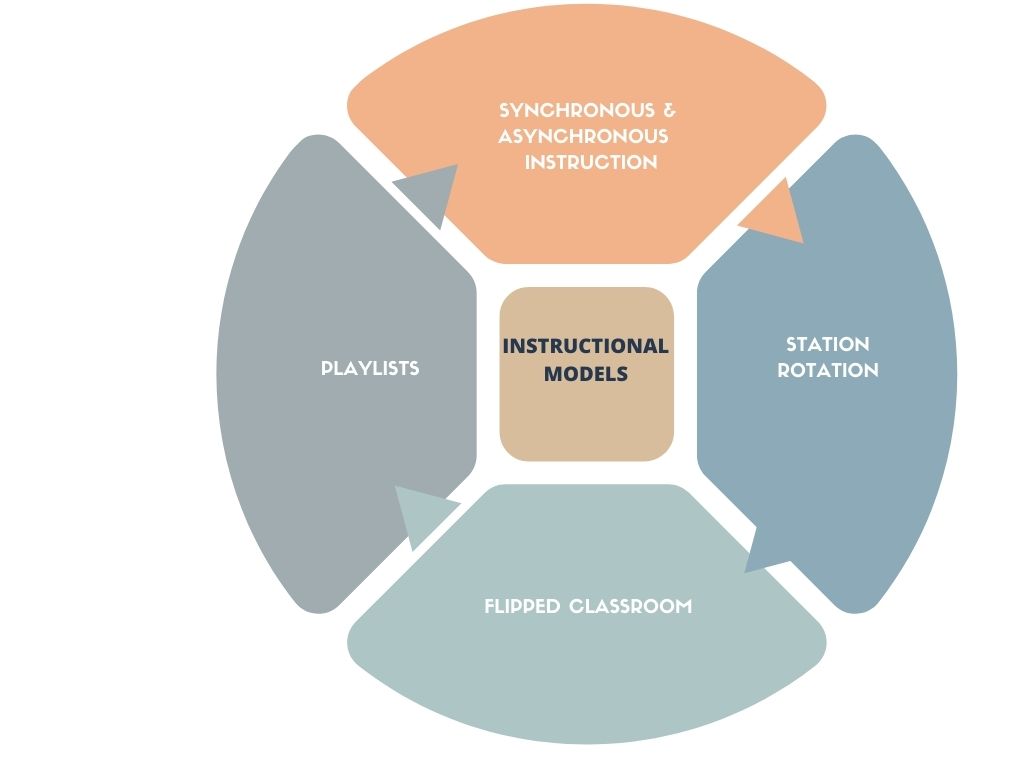
Instructional Models
Once I answered these questions I was able to explore different instructional models and determine which model best meets the needs of my students. Some of the models that I considered were synchronous instruction, blended/hybrid instruction, a flipped classroom, using a station rotation or a playlist. Honestly, I will probably be using some combination of all of these at some point this year!
Sample Unit: Sensation and Perception
What does this look like in the real classroom? As many of you know, I teach AP Psychology. I was about to begin my Sensation and Perception unit after we transitioned to HyFlex learning. I’d like to walk you through my process in designing this unit. First of all, I decided to start small. I did not want to design an entirely new unit from scratch! Instead, I repurposed many of the same activities that I had already developed but updated them with tech tools like Pear Deck, EdPuzzle, Breakout Groups to make them more accessible and engaging for my remote learners. Secondly, I identified my “must-haves” for the unit.
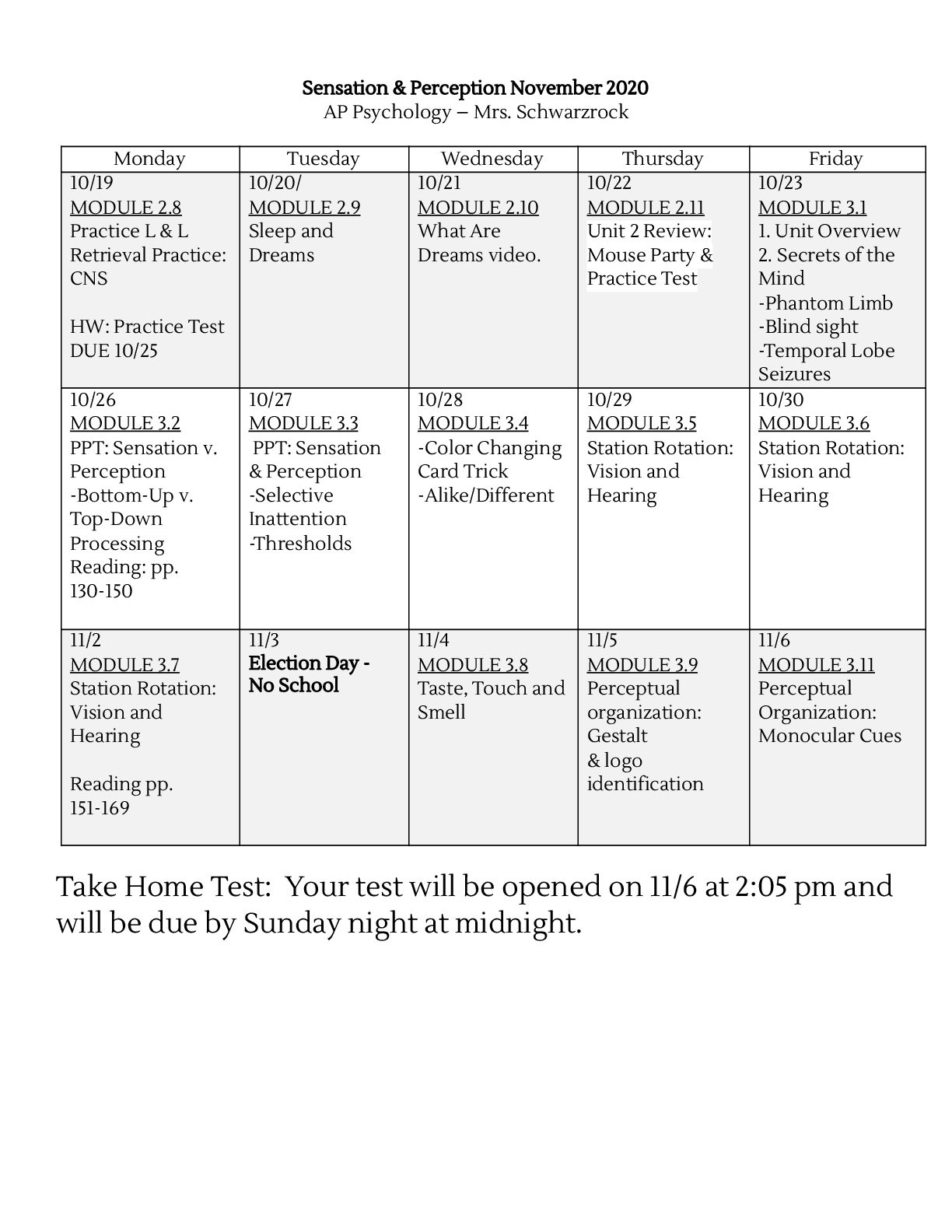
1. I wanted the amount of synchronous and asynchronous learning activities to be balanced. I love the flexibility of asynchronous learning but I wanted to anchor it with synchronous time.
2. I purposefully used tools like Pear Deck and Zoom Breakout Groups to encourage interaction between my “Roomers” and “Zoomers.”
3. If I was showing a video in class I used EdPuzzle to create an asynchronous lesson for students who were remote. The quality of the video is much better than live streaming.
Something new that I added to this unit – and the only thing that I created from scratch – was the station rotation. I chose to redesign this lesson because in prior years my students have struggled mastering the anatomy of the eye and ear. Turning this into a station rotation allowed me to flip these lessons. The students could then go back and access the material any time that they needed to. In addition, I added a teacher-led station into the rotation because I wanted to build in time to meet all of the students one-on-one, not just the ones in the physical classroom.
This station rotation includes six stations. Each station is 20 minutes long. The stations are progressive and build off each other. For example, the students need to complete the flipped lesson on vision before they build the eyeball. Therefore, it is important for the students to follow their groups rotation schedule. You can access my write up and schedule here. There are three instructional components to a station rotation; online, offline and teacher-led.
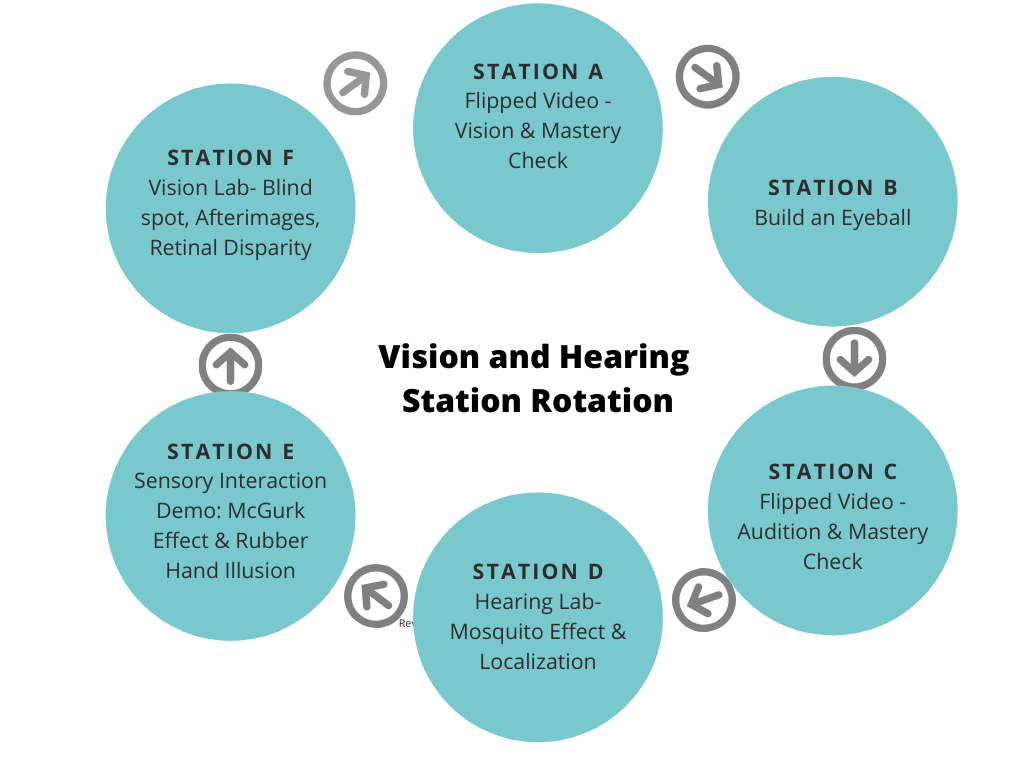
Teacher-Led Station: The students met with their teacher individually and explained the process of vision using their eye models.What I love about the station rotation model is that it includes a variety of learning opportunities and gives me the chance to talk to all of my students! If you would like to see, use or modify this station rotation you can download it using these hyperlinks: Google Drive or on Canvas Commons (3.5-3.7 Vision and Audition Station Rotation).
 Blended Learning Journey
Leave a comment